A meeting recorder that joins the call as a participant was a clever trick in 2024. In October 2026 it is a liability: guests see the bot in the list, someone asks whether it is recording, and the answer has to be yes. The tools that grew fastest this year are the ones that quietly captured the same audio from your own device instead.
That shift matters more than any accuracy benchmark, because it changed what you are actually choosing between. Not “which AI writes better minutes” — all of the major ones write acceptable minutes — but how the audio gets in, how long the output survives, and what it costs once the free tier runs out.
Everything below comes from vendor pricing and product pages checked in October 2026. We have not run these note-takers hands-on; our own testing is on the hardware side, and the Sony XM6 meeting-summary test is the closest thing we have to a first-hand data point.
The past year moved three things at once
Capture went bot-free. Granola’s whole pitch is that it listens to device audio rather than dialling into your call, and it now runs on desktop, iOS, Android and Apple Watch. No bot in the participant list, no guest consent prompt, no organiser permission. Fireflies still offers the bot — plus a desktop app, Chrome extension and file upload — but the desktop route exists for the same reason.
Summaries turned into credits. Fireflies’ free plan includes unlimited transcription but only limited AI summaries and 20 AI credits; paid tiers keep the credit system rather than going truly unlimited. Zoom’s AI is now sold through Workplace plans and a credit-based ZoomMate layer, with only limited features on Basic. Otter meters AI queries too. The pattern is consistent: transcription is cheap, generated insight is not, and vendors price the second one.
The free-tier wall became retention, not minutes. Granola Basic keeps 30 days of meeting history; Business ($14 per user per month) makes it unlimited and adds integrations, MCP access and API. Fireflies’ free tier caps storage at 400 minutes per team. Otter’s free plan allows 300 transcription minutes per user per month, Pro raises it to 1,200 for roughly $17 a month (its .edu discount is quoted as 20% off, which is where that figure comes from), and Business removes the cap. Ten hours of meetings a month is a normal calendar, not a power user — that is the line most free plans draw.
What each capability is actually worth
Getting the audio in. Bot-free capture wins on social cost: a client call where nobody has to approve a recorder. It loses on coverage — a bot can attend a meeting you skip; your laptop cannot. If your notes exist to cover meetings you were not in, bot-based tools still earn their seat.
Language coverage. Fireflies advertises transcription in 100+ languages; Otter lists six (English, Spanish, French, German, Japanese, Chinese). For a bilingual team this is the single most decisive spec on the page, and it is usually buried under feature grids.
Output quality, honestly. In our XM6 test — a 45-minute mixed Chinese-English conference call — the generated minutes got the agenda, conclusions and action items right, and got one currency unit wrong. That is roughly the state of the category: structure is solved, exact figures are not. Budget a two-minute read-through before anything goes to a client.
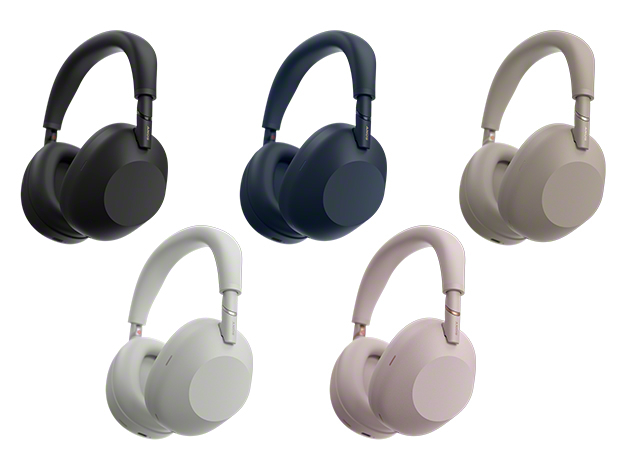
Official product image from Sony. Our XM6 meeting-summary test was run on a 45-minute mixed-language call.
Memory across meetings. This is where the paid tiers separate. Search one transcript and every tool looks the same; ask “what did we promise this account in September” across a year of calls and you need history retention plus chat that spans meetings. Granola puts cross-meeting chat on every plan but model selection behind Business; Fireflies sells AskFred as the assistant layer over its archive.
The output format. A summary is a document; an action item is a task. Most tools now emit both, and the difference in daily use is whether the action items land in your task manager or sit in a note nobody reopens. Check the integration list before the model name.
The uncomfortable part of the pricing
Per-seat pricing for note-taking is being squeezed from both directions. Above, meeting platforms bundle their own assistant into plans companies already pay for — Zoom being the clearest case. Below, transcription itself is commoditised; open models and on-device capture have made the raw text nearly free, which is why every vendor now charges for “AI credits” instead of minutes.
The result is a market where a $14–18 seat looks cheap until you count who needs one. A ten-person team on Fireflies Pro at $18 monthly is about $2,160 a year for notes; the same team on Granola Business is roughly $1,680. Neither number is outrageous next to the cost of one badly documented decision, but both are large enough that “everyone gets a seat” deserves a second thought. Often two people need history and search, and everyone else needs a share link.
There is also a quieter cost: consent and retention policy. Bot-free capture records audio on an employee’s machine, which may be exactly what your legal team dislikes. Bot-based capture puts a visible recorder in the room, which may be what your clients dislike. Neither is free of politics.
Where this is heading (and what is speculation)
The defensible bet is that notes stop being a destination app and become plumbing. Granola’s MCP support and Fireflies’ API both point the same way: the transcript feeds an agent that updates the CRM, drafts the follow-up and files the decision. Once that works, the interface matters less than the data model — who owns the archive, and whether you can export it.
Less certain: whether standalone note-takers survive the platform squeeze. Zoom, Microsoft and Google can bundle “good enough” notes at zero marginal cost, and history shows that bundling wins the middle of the market while specialists keep the edges — bilingual teams, sales-heavy workflows, regulated industries that need on-premise options.
| Direction | State in October 2026 | Our read |
|---|---|---|
| Bot-free capture | Standard on Granola; desktop apps from Fireflies and others | Becoming the default expectation, not a differentiator |
| Summaries | Good structure, occasional factual slips | Verify figures before sending anything external |
| Pricing | Credits and seat tiers, few true unlimited plans | Compare annual cost for the whole team, not the sticker |
| Integration | MCP, API, CRM and task-manager hooks on paid tiers | The real lock-in, more than transcript quality |
Who should pick what now
A consultant or founder in back-to-back calls. Start with Granola Basic at $0 to test whether bot-free capture suits your client calls; move to Business only when the 30-day history starts hurting. That is the honest break-even point.
A team already living in Zoom or Teams. Use the bundled assistant first. It will be worse at search and integrations than a specialist, but the marginal cost is zero and adoption is the hard part. Add a dedicated tool when someone asks a question the archive cannot answer.
A bilingual or multilingual team. Test Fireflies on your actual accent mix before paying for anything. Language lists are marketing; two recorded calls will tell you more than any comparison table.
Anyone whose minutes become contracts or clinical notes. Bot-free capture plus local storage, and read the deletion policy rather than the feature list.
If you are weighing alternatives to a specific tool, our Otter alternatives breakdown and Fireflies alternatives breakdown go tool by tool; the business tools roundup covers where note-taking sits next to the rest of the stack.
Questions that keep coming up
Do I still need a bot to record Zoom calls? No. On a desktop or phone, Granola-style device capture works without a participant bot; Zoom’s own assistant is available inside the meeting. Bots remain the only option for meetings you are not attending.
Is the free tier enough for a solo user? Usually for a month or two. Granola’s 30-day history and Otter’s 300 minutes are both fine for evaluation and both bite once you rely on search.
Which one is most accurate? Nobody publishes a fair benchmark, and accuracy depends on your accents and audio. Judge on your own recordings, and expect small numeric errors everywhere — our XM6 test caught one.
Can I get the transcript out? On paid tiers, generally yes, via export or API. Check before you build a workflow on it; free tiers often restrict exports more than they restrict recording.
The call
Choose on capture and retention, not on the summary. Pick bot-free if consent is the constraint, bot-based if coverage is. Then pay for the smallest number of seats that need history, and treat the transcript as data you own rather than a page you visit. The AI writing the minutes has been good enough for a year; the parts still worth arguing about are where the audio lives and who can read it next quarter.
Sources: granola.ai/pricing, fireflies.ai/pricing, otter.ai/pricing and zoom.com AI product pages, checked 25 October 2026. Prices change often — confirm on the official site before buying.