Play back your last call without headphones and the ugliest sound is rarely the fan. It is the room: desk knocks under 200 Hz, a laptop mic picking up its own chassis, the air handler you stopped noticing. A denoiser hides that. It cannot recover the consonant the rumble was sitting on.
That is the uncomfortable starting point for any Krisp alternative list. As of November 2026 Krisp’s pricing page leads with AI note-taking, accent conversion and MCP integrations, and offers a 7-day trial instead of a standing free tier. The filter is now one line item in a meeting bundle. The useful question is which part you need.
What the money buys
A paid suppressor is mostly plumbing: a virtual microphone every app can see, a model that runs on-device so nothing is uploaded, and admin controls — SSO, seat management, retention rules. Worth paying for in a company with a compliance officer. On one Windows desktop, it is infrastructure you will never use.
Cheapest first
NVIDIA Broadcast is free, Windows-only, and wants an RTX 2060 or newer (nvidia.com). Noise Removal and Room Echo Removal run locally on the GPU and appear as a virtual mic, so Zoom, Meet and OBS all receive a cleaned signal. On a desktop with the right card it is the strongest free option here, with no minute counter. The limits are concrete: no macOS, no integrated graphics, and the model competes with whatever else is using the GPU.
RNNoise is the other end — Xiph’s open-source suppressor, BSD-licensed, 48 kHz, a small recurrent network that runs on a sliver of one core. It ships inside OBS as a filter, inside Discord, and in PipeWire’s chain on Linux. Nothing is uploaded, nothing is metered, which makes it the default for privacy-sensitive calls. The trade-off is setup: you route the audio yourself, and on sudden clatter it leaves a watery residue newer models smooth over.
Adobe Podcast Enhance is the best fix-it-later tool. Upload a file and the speech model rebuilds the voice; the free plan caps files at 30 minutes and one hour of processing a day, while the $19.99 Firefly Pro plan allows two-hour files and four hours a day (podcast.adobe.com/en/plans, November 2026). It cannot touch a live call, and it over-cleans: room tone disappears, sibilance turns glassy, so use a partial setting.
The filter already in your meeting app deserves more respect. Teams, Zoom and Meet all ship noise suppression with an auto or aggressive slider. It needs no driver and is often the only thing that installs on a locked corporate laptop. What you give up is control: processing happens before the recording, so a bad level cannot be undone.
Cleanvoice and Supertone Clear are post-production, not calls. Cleanvoice bills by the hour of audio from about €10 a month, with credits that roll over; Supertone Clear is a DAW plug-in (AU, VST3, AAX) for noise and reverb removal in editing. Buy either if you publish weekly. For a Tuesday stand-up, they solve a problem you do not have.
Three costs that never make the table
- Cloud cleanup changes the voice. A model that reconstructs speech can invent detail, and any compressor afterwards makes those artifacts louder. Keep the raw file.
- Uploading audio is a data transfer. A cloud enhancer receives the whole conversation; for legal, medical or HR calls that is a compliance question before a quality one — and the honest reason teams pay for on-device processing.
- Every virtual driver adds latency. Bluetooth headsets already sit around 100–200 ms; one more buffer is enough to make people talk over each other. Test on a real call.
A stack that starts at zero
Fix the input first: it is the only step that improves the signal rather than disguising it. A cardioid mic 15 cm from your mouth, or a headset with its own DSP, removes more noise than any subscription. Our Sony XM6 review is a fair data point: the real jump over the XM5 was in call noise reduction, not music — on a windy street call, the other side stopped hearing the wind.
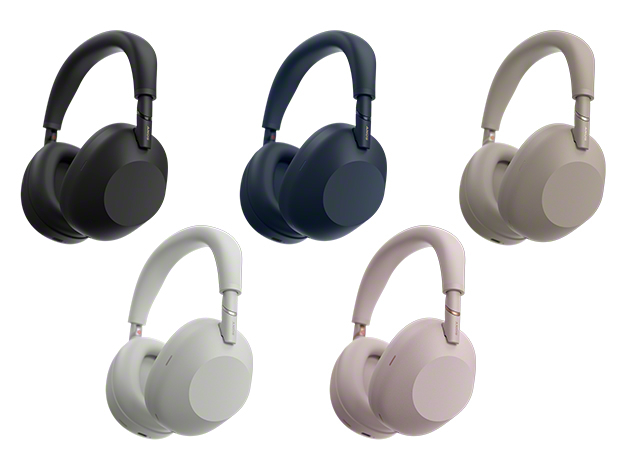
Official product image from Sony.
Then switch on the filter your meeting app already has. If that is not enough and you are on Windows with an RTX card, install NVIDIA Broadcast. On Linux, or anywhere audio cannot leave the machine, run RNNoise through PipeWire. Clean with Adobe Enhance only for audio you publish, and reach for Cleanvoice when you are editing a show rather than attending a meeting.
That is all noise. If the pain is notes and follow-ups, it is a different purchase: our AI meeting notes comparison and the Otter.ai alternatives breakdown cover who joins the call and what each free tier meters.
Short answers
Is there still a free Krisp plan? As of November 2026 the pricing page advertises a 7-day trial, not a permanent free tier. Check krisp.ai/pricing first.
Will NVIDIA Broadcast run on a laptop with integrated graphics? No. It requires an RTX GPU, and it is Windows-only.
Can Adobe Enhance clean a live Zoom call? No. It works on uploaded files, and the free tier stops at 30 minutes per file.
Sources: vendor pricing pages checked 6–7 November 2026; requirements from nvidia.com; XM6 call-noise observation from our review.